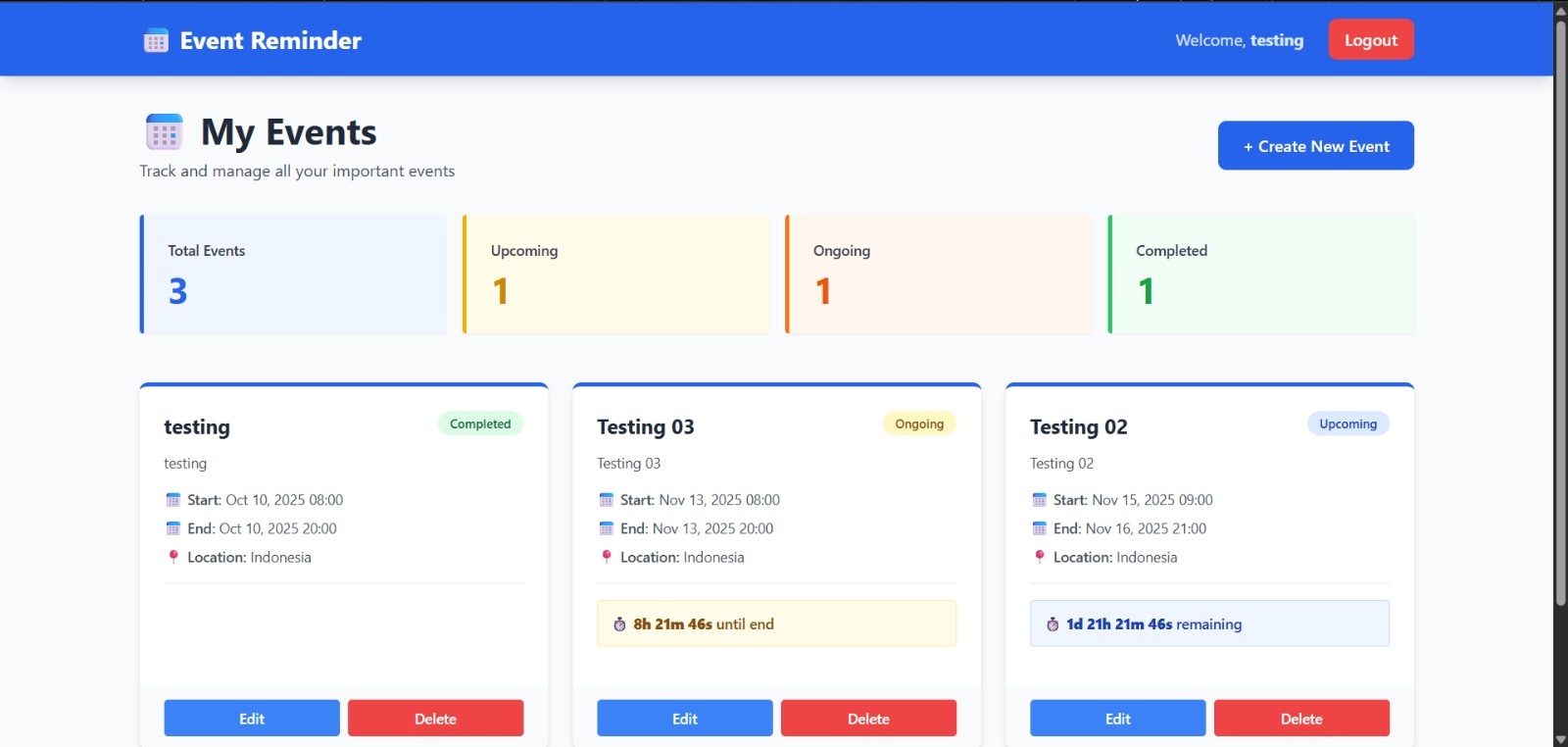
About This Project
A modern event management application built with CodeIgniter 4, Tailwind CSS 3.3,
and PostgreSQL. This application helps users create, manage, and track events with
real-time countdown timers, automatic status detection, and interactive dashboards.
Events are automatically categorized as Upcoming, Ongoing, or Completed with live
statistics that update in real-time.
KEY FEATURES
- User authentication with secure password hashing
- Complete event management (Create, Read, Update, Delete)
- Automatic event status tracking (Upcoming, Ongoing, Completed)
- Real-time countdown timers for events
- Event duration support with optional end dates
- Dashboard with live statistics by status
- Modal forms for creating and editing events
- Location tracking for events
- Timezone-aware time calculations
- Session-based user management
- Responsive design with Tailwind CSS
Installation Instructions
STEP 1: SYSTEM REQUIREMENTS
- PHP 8.2 or higher
- PostgreSQL 12 or higher
- Composer (for PHP dependencies)
- Node.js 14+ with npm (for Tailwind CSS CLI)
- XAMPP or similar development environment
STEP 2: DATABASE SETUP
1. Open pgAdmin or PostgreSQL CLI
2. Create a new database named "event_reminder"
Command:
CREATE DATABASE event_reminder;
3. Database credentials (already configured in .env):
- Database Name: event_reminder
- Username: postgres
- Password: 091022
- Host: localhost
- Port: 5432
STEP 3: ENVIRONMENT CONFIGURATION
The .env file is pre-configured with:
- Database connection: PostgreSQL (Postgre)
- Database name: event_reminder
- Database username: postgres
- Database password: 091022
- Charset: utf8
- Timezone: Asia/Jakarta (for accurate calculations)
- App URL: http://localhost:8080
STEP 4: INSTALL PHP DEPENDENCIES
Navigate to project directory:
cd "c:\Project\Mini Project\event-reminder"
Run composer install:
composer install
This installs all PHP dependencies including CodeIgniter 4.
STEP 5: INSTALL FRONTEND DEPENDENCIES
Run npm install:
npm install
This installs:
- Tailwind CSS v3.3.0
- PostCSS for CSS processing
- Autoprefixer for browser compatibility
STEP 6: BUILD TAILWIND CSS
Build the CSS file:
npm run build
Or use watch mode for development:
npm run dev
This generates public/css/output.css from public/css/input.css
STEP 7: RUN DATABASE MIGRATIONS
Execute migrations to create tables:
php spark migrate
This creates the following tables:
- users (for user accounts)
- events (for event records with status tracking)
STEP 8: START THE APPLICATION
Start CodeIgniter development server:
php spark serve
The application will be available at:
http://localhost:8080
Default port is 8080. If port is busy, you can specify another:
php spark serve --port 3000
TEST ACCOUNT
- Email: testing@gmail.com
- Password: (Register your own account)