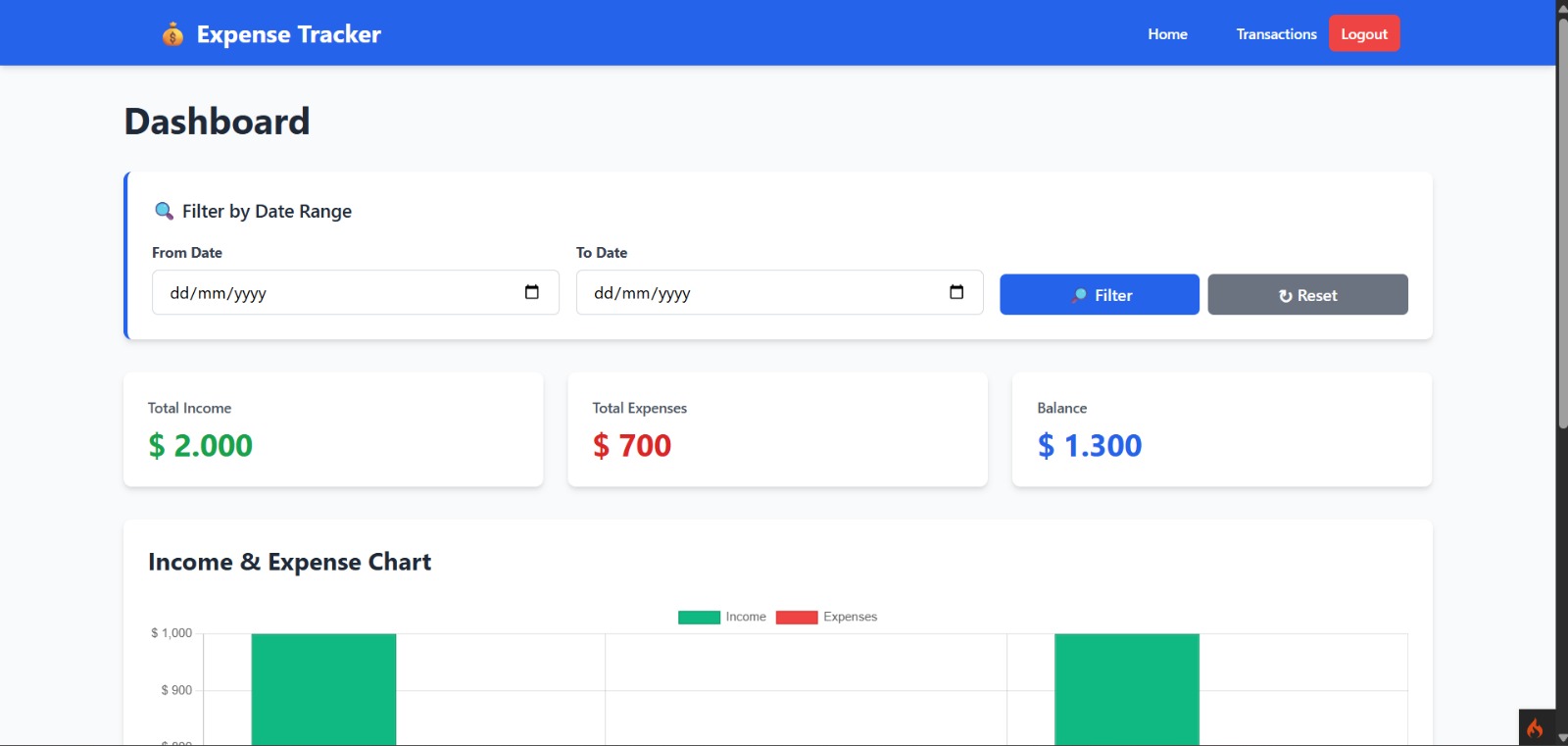
About This Project
A comprehensive expense tracking application built with CodeIgniter 4, Tailwind CSS,
and PostgreSQL. This application allows users to manage their income and expenses,
track financial transactions, and visualize spending patterns through interactive
charts and dashboards.
KEY FEATURES
- User authentication with secure password hashing
- Income and expense transaction management
- Real-time financial statistics (Total Income, Total Expenses, Balance)
- Interactive line charts showing financial trends over time
- Transaction filtering by type (income/expense) and month
- Complete CRUD operations for transactions
- Session-based user management
- Responsive design with Tailwind CSS
Installation Instructions
STEP 1: SYSTEM REQUIREMENTS
- PHP 8.2 or higher
- PostgreSQL 12 or higher
- Composer (for PHP dependencies)
- Node.js 14+ with npm (for frontend dependencies)
- XAMPP or similar development environment
STEP 2: DATABASE SETUP
1. Open pgAdmin or PostgreSQL CLI
2. Create a new database named "expense_tracker"
Command:
CREATE DATABASE expense_tracker;
3. Database credentials (already configured in .env):
- Database Name: expense_tracker
- Username: postgres
- Password: 091022
- Host: localhost
- Port: 5432
STEP 3: ENVIRONMENT CONFIGURATION
The .env file is pre-configured with:
- Database connection: PostgreSQL (Postgre)
- Database name: expense_tracker
- Database username: postgres
- Database password: 091022
- Charset: utf8
- App URL: http://localhost:8080
STEP 4: INSTALL PHP DEPENDENCIES
Navigate to project directory:
cd "c:\Project\Mini Project\expense-tracker"
Run composer install:
composer install
This installs all PHP dependencies including CodeIgniter 4.
STEP 5: INSTALL FRONTEND DEPENDENCIES
Run npm install:
npm install
This installs:
- Chart.js for data visualization
- Other frontend utilities
STEP 6: RUN DATABASE MIGRATIONS
Execute migrations to create tables:
php spark migrate
This creates the following tables:
- users (for user accounts)
- transactions (for income/expense records)
STEP 7: START THE APPLICATION
Start CodeIgniter development server:
php spark serve
The application will be available at:
http://localhost:8080
Default port is 8080. If port is busy, you can specify another:
php spark serve --port 3000
TEST ACCOUNTS (If seeded)
Admin Account:
- Email: admin@example.com
- Password: password123
Member Account:
- Email: member@example.com
- Password: password123