About This Project
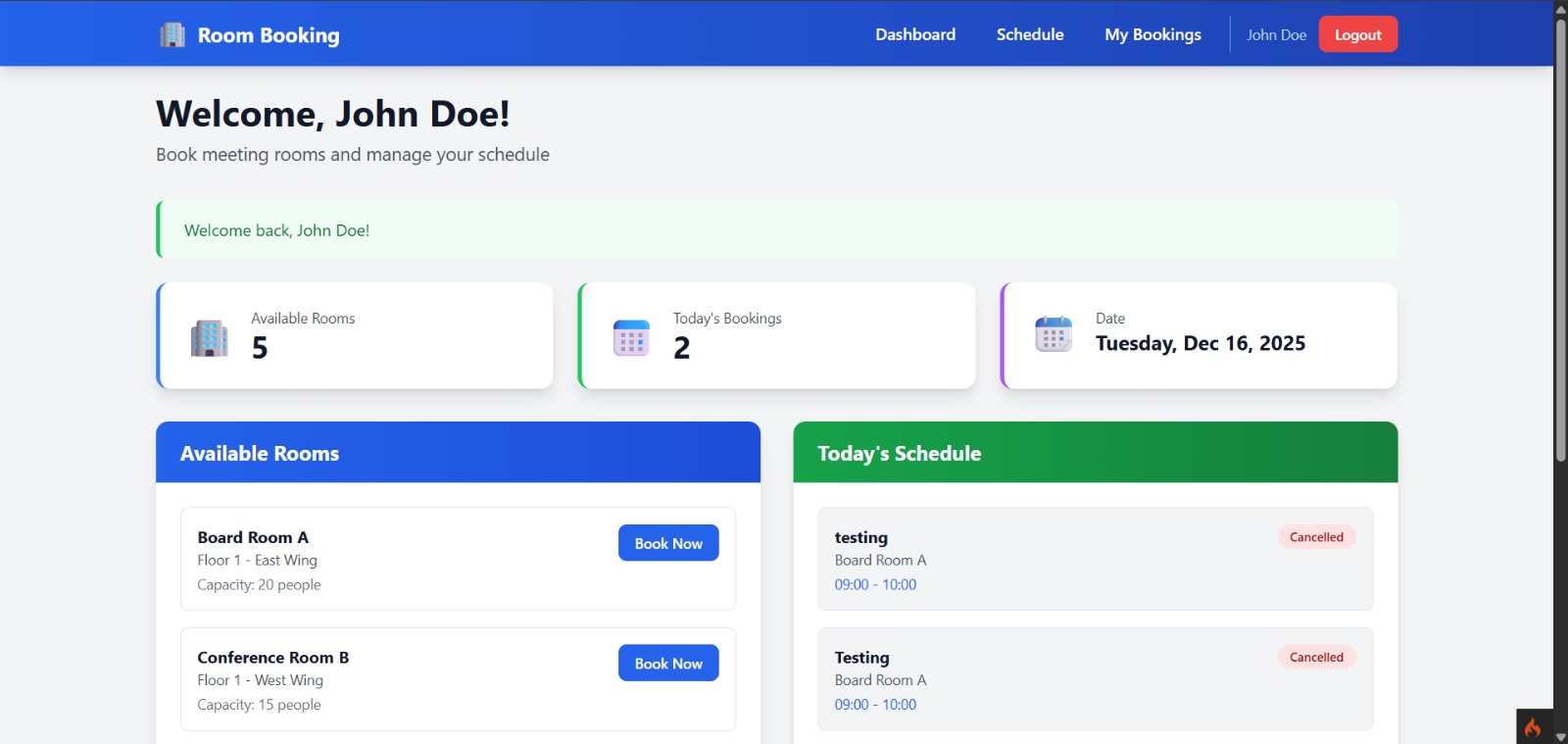
Meeting Room Booking System is a web-based application designed to manage meeting room reservations in an organized and efficient way. This system allows users to view room availability, make bookings, and track reservation statuses. Meanwhile, administrators can manage meeting room data and handle booking approvals or rejections.
The application helps prevent schedule conflicts, improves transparency in room usage, and simplifies coordination between users and administrators.
Key Features :
- User and admin authentication
- Dashboard with booking statistics and recent reservations
- Meeting room management
- Room booking with status tracking
- Booking approval and management by admin
- Room schedule view by date
Usage Flow User :
- Log in to the system
- View dashboard and meeting room list
- Book a meeting room by selecting date, time, and meeting purpose
- View and filter booking history by status
- Cancel bookings with Pending or Confirmed status
- View meeting room schedules through the Schedule menu
Usage Flow Admin :
- Manage meeting rooms (add, edit, delete)
- View all bookings from all users
- Filter bookings by status, room, or date
- Approve or reject pending bookings
Installation Instructions
1. Download Project
Download project by click the download button
2. Install PHP dependencies
composer install
3. Install Node dependencies
npm install
4. Configure environment
cp env .env
Edit .env
      CI_ENVIRONMENT = development

      database.default.hostname = localhost
      database.default.database = meeting_room_booking
      database.default.username = postgres
      database.default.password = your_password
      database.default.DBDriver = Postgre
      database.default.port = 5432
5. Create database
CREATE DATABASE 'meeting_room_booking';
6. Run migrations
php spark migrate
7. Run seeders
php spark db:seed DatabaseSeeder
8. Build Tailwind CSS
npm run build
9. Start development server
php spark serve
10. Access the application
http://localhost:8080
11. Default Users
Role Admin :
Email : admin@example.com
Password : admin123
Role User :
Email : john@example.com
Password : user123