About This Project
Office Service Request System is a web-based application designed to streamline the process of submitting, tracking, and managing internal service requests within an organization. This system allows employees (users) to create service requests for various needs such as IT support, facilities, and cleaning services, while administrators can manage, assign, and resolve these requests efficiently.
The application improves communication between employees and service teams, ensures structured request handling, and provides transparency through real-time status tracking.
Key Features
- User and admin authentication
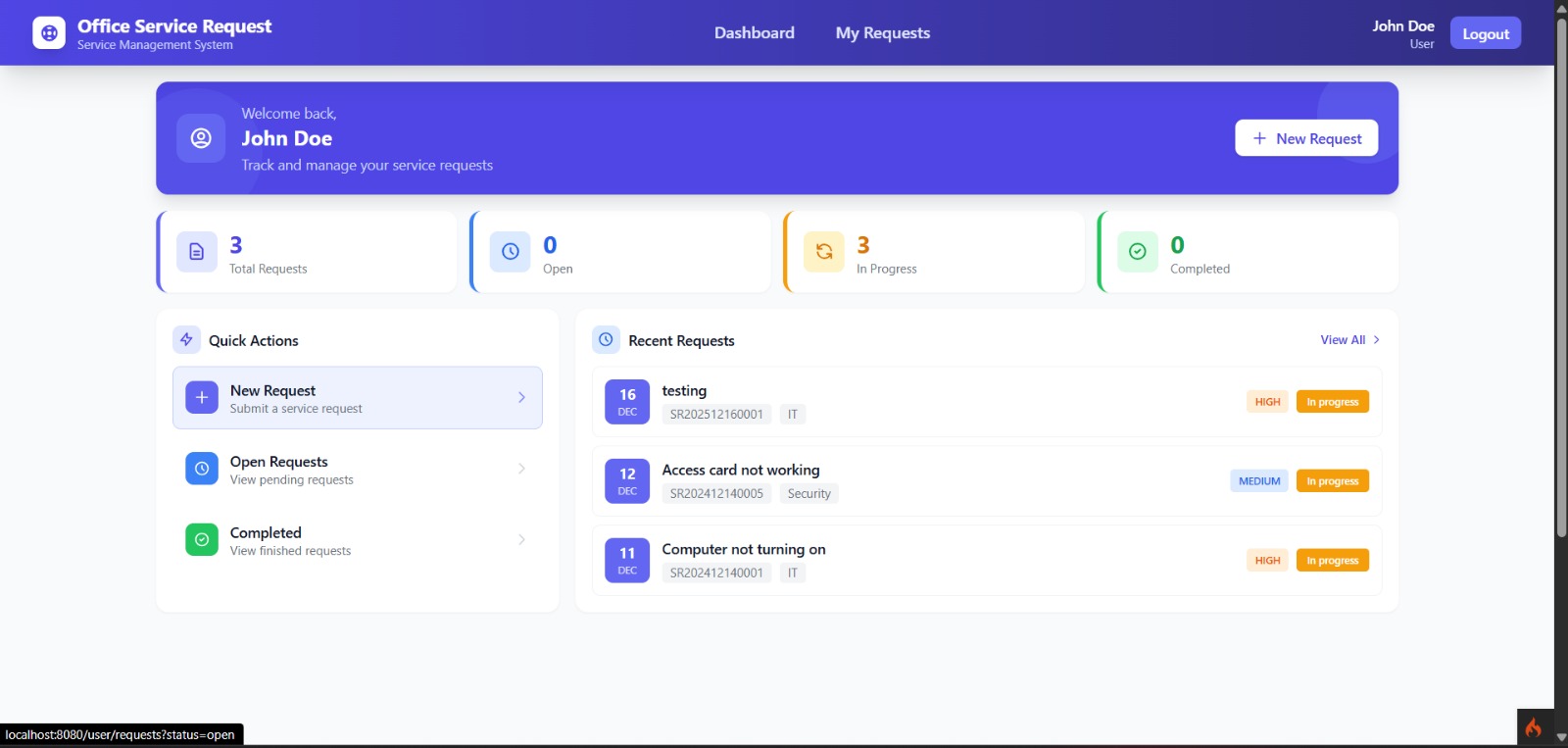
- Dashboard with service request statistics
- Service request creation with categories and priorities
- Request tracking with detailed status flow
- Commenting and attachment support
- Rating and feedback system after completion
- Admin request assignment and management
Usage Flow User :
- Log in to the system
- View dashboard with request statistics and recent requests
- Create a new service request by selecting category and priority, and providing details and attachments
- View and manage personal request list with filtering, searching, and sorting options
- Access detailed request information including status, assigned admin, timeline, comments, and attachments
- Add comments to communicate with admins
- Provide ratings and feedback once a request is completed
Usage Flow Admin :
- View dashboard with overall request statistics and pending tasks
- Access and manage all service requests from users
- Filter requests by status, category, and priority
- Assign requests manually or automatically based on category
- Update request status following a sequential workflow (Open → In Progress → Done)
- Add internal or user-visible notes for better request documentation
Installation Instructions
1. Download Project
Download project by click the download button
2. Install PHP dependencies
composer install
3. Install Node dependencies
npm install
4. Configure environment
cp env .env
Edit .env
      CI_ENVIRONMENT = development

      database.default.hostname = localhost
      database.default.database = office_service_request
      database.default.username = postgres
      database.default.password = your_password
      database.default.DBDriver = Postgre
      database.default.port = 5432
5. Create database
psql -U postgres -c "CREATE DATABASE office_service_request;"
6. Run migrations
php spark migrate
7. Run seeders
php spark db:seed DatabaseSeeder
8. Build Tailwind CSS
npm run build
9. Start development server
php spark serve
10. Access the application
http://localhost:8080
11. Default Users
Role Admin :
Email : admin@office.com
Password : password
Role User :
Email : john@office.com
Password : password