About This Project
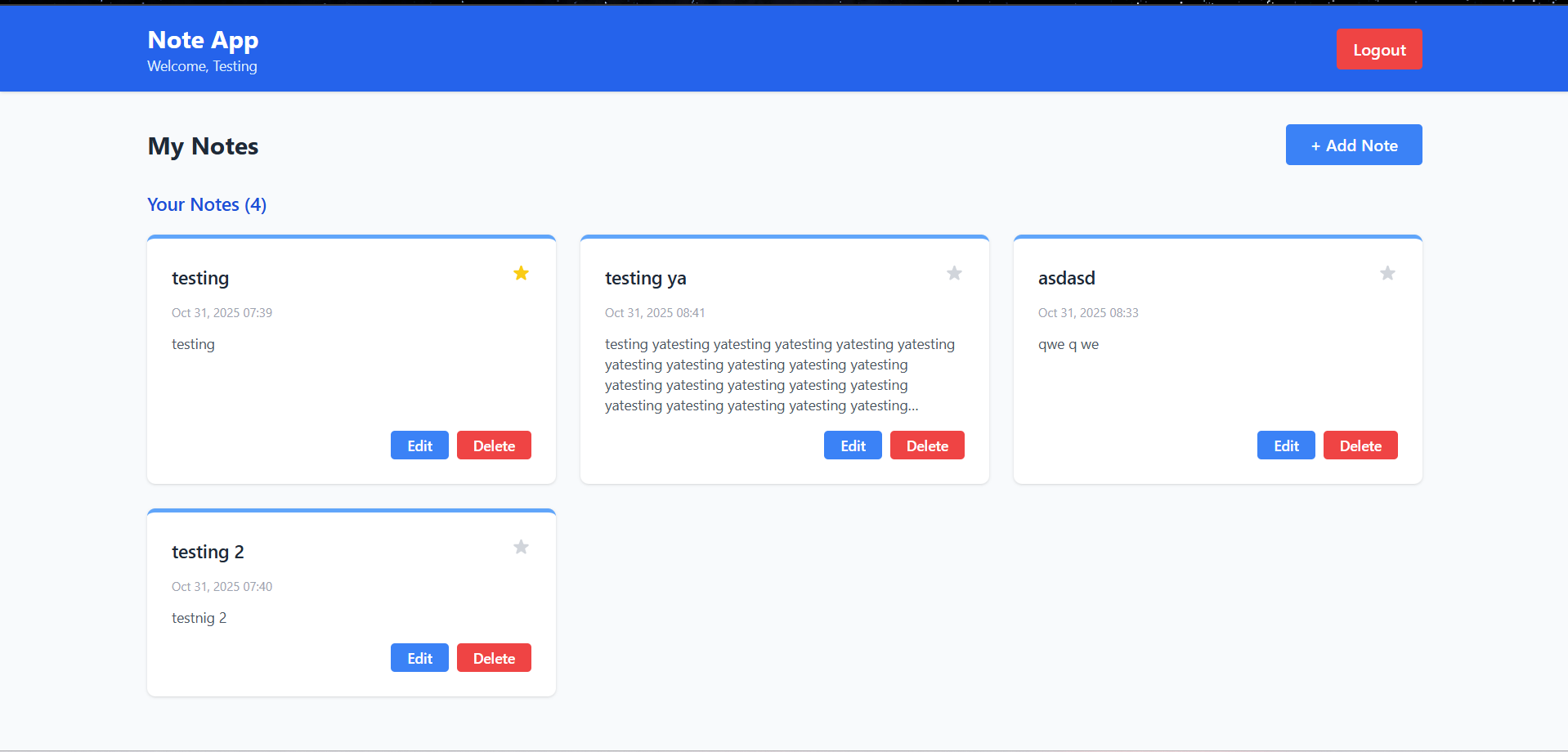
The Note App is a modern web-based note-taking application built with CodeIgniter 4
and Tailwind CSS. It provides users with a secure platform to create, manage, and
organize their personal notes with an intuitive user interface.
Key Features:
- User Registration: Create a new account with secure password validation and unique
email verification
- User Authentication: Login with email and password using session-based authentication
- Note Management: Create, read, update, and delete personal notes effortlessly
- Pin/Unpin Notes: Mark important notes by pinning them to the top of your list
- Responsive Design: Clean, minimal interface with Tailwind CSS for a modern look
- Data Security: Password hashing and session management for user data protection
- Protected Routes: Dashboard and note management features are only accessible to
authenticated users
Installation Instructions
INSTALLATION INSTRUCTIONS:
PREREQUISITES:
- PHP 8.0 or higher (tested with PHP 8.2.12)
- Composer (PHP dependency manager)
- PostgreSQL database server
- Node.js and npm (for Tailwind CSS compilation)
- Git (for cloning the repository)
STEP-BY-STEP INSTALLATION:
1. Clone or Extract the Project:
Navigate to your desired directory and clone/extract the project files.
cd c:\Project\Mini Project\note-app
2. Install PHP Dependencies:
Run Composer to install required PHP packages:
composer install
3. Install Node.js Dependencies:
Install npm packages for Tailwind CSS:
npm install
4. Environment Configuration:
Copy the .env file and configure it:
- Update DB_HOST, DB_NAME, DB_USER, DB_PASSWORD with your PostgreSQL credentials
- Set APP_ENV=development for development mode
- Configure other settings as needed
5. Database Setup:
Create a PostgreSQL database:
CREATE DATABASE note_app;
Run migrations to create tables:
php spark migrate
6. Compile Tailwind CSS:
Build the CSS file from the input.css:
npm run build
For development with watch mode:
npm run dev
7. Start the Development Server:
Run the CodeIgniter development server:
php spark serve
The application will be available at: http://localhost:8080
8. Access the Application:
- Open your web browser
- Navigate to http://localhost:8080
- Create a new account or login with existing credentials
- Start creating and managing your notes!